You're Already Paying for Call Protection — You Just Don't Know Where to Find It
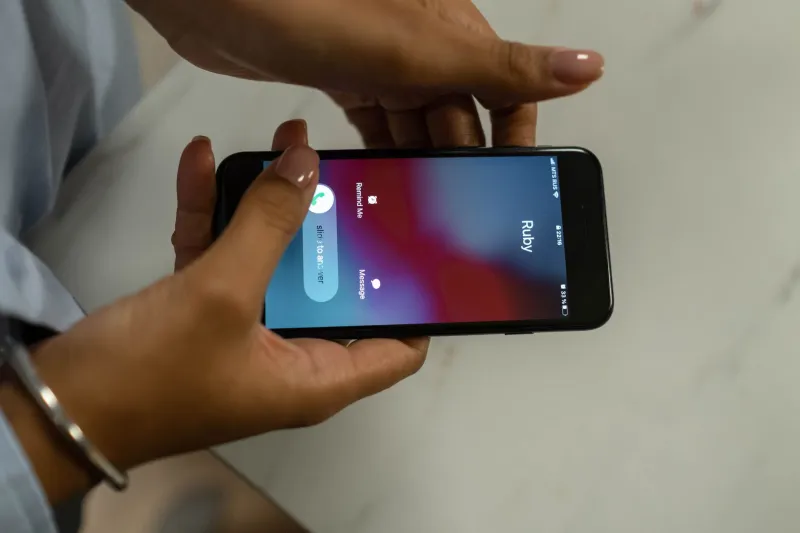
Every month, a significant chunk of Americans pay somewhere between $3 and $15 for a third-party call-blocking app. Some pay more. Meanwhile, their carrier — the company already collecting a hundred-plus dollars a month for service — has a built-in spam filter sitting dormant on their account, never activated, never mentioned.
This isn't a conspiracy. It's something more mundane and, honestly, more frustrating: it's just how carriers do business.
The Features That Exist (But Nobody Told You About)
Let's run through what the major US carriers actually offer, because the gap between what's available and what customers know about is genuinely staggering.
AT&T bundles something called ActiveArmor into most of its postpaid plans at no extra charge. It flags suspected spam, blocks fraud calls automatically, and gives you a personal block list. The premium version — ActiveArmor Advanced — adds reverse number lookup and deeper filtering for around $3.99/month. But the free version? Already there, already paid for, probably sitting untouched on your account right now.
Verizon has Call Filter, which comes baked into most plans. It screens incoming calls, identifies likely spam, and gives you the option to send suspected robocalls straight to voicemail. Again, free tier exists. The paid upgrade ($2.99/month per line) adds a spam lookup tool and a caller ID database. Most Verizon customers have never opened the Call Filter app, let alone configured it.
T-Mobile arguably does the most here. Scam Shield is built into every T-Mobile plan — no opt-in required for basic protection. The carrier says it blocks over a billion scam calls per month using its network-level filtering. T-Mobile also sends "Scam Likely" labels to your screen automatically. You might have already seen those labels and not realized T-Mobile was behind them.
Mint Mobile, Visible, Cricket — the budget carriers — typically inherit whatever network-level filtering their parent carrier runs, though the dedicated apps and dashboards are usually stripped out.
Why Are These Features So Hard to Find?
Here's where things get a little uncomfortable to say out loud: carriers have a financial incentive to keep you confused.
If you don't know the free version exists, you might upgrade to the paid tier. If you don't know the carrier offers anything at all, you might buy a third-party app — and some carriers have partnership arrangements with those app developers. The ecosystem is messier than it looks from the outside.
Beyond the financial angle, there's also a design problem. These features are buried in account management apps that most people only open when something breaks. AT&T's ActiveArmor has its own separate app, which means you'd only find it if you went looking. Verizon's Call Filter is similarly siloed. T-Mobile does the best job of surfacing its tools, but even there, the configuration options are several taps deep.
Carriers also tend to undersell these features in their marketing materials. You'll see a lot of "unlimited data" and "5G nationwide" in ads. You won't see a lot of "we block a billion scam calls a month." It doesn't move phones off shelves the same way.
What These Tools Actually Block — And What They Miss
To be fair, carrier-level filtering isn't perfect. It's actually pretty good at catching known bad actors — numbers that have already been flagged across the network, numbers tied to recognized robocall campaigns, numbers that are placing thousands of calls per hour. The big, obvious spam operations get caught.
What slips through? Neighbor spoofing — calls where scammers spoof a number that looks local to you — is still a consistent weak spot for network-level filters. Newly registered numbers that haven't built up a bad reputation yet also tend to get through. And highly targeted scam calls, the kind where someone has your name and partial account info, are almost impossible to catch at the carrier level because they look like a real call from a real person.
Third-party apps like Hiya, Nomorobo, and RoboKiller close some of those gaps using crowdsourced databases and AI-based call analysis. So there is a legitimate case for using them — but only after you've activated whatever your carrier already provides.
How to Actually Turn This Stuff On
The activation process varies, but here's a quick-start guide:
- AT&T users: Search "ActiveArmor" in your app store, download it, and sign in with your AT&T credentials. Enable automatic fraud blocking in the settings.
- Verizon users: Open the My Verizon app, go to Account, look for Call Filter, and enable it. Or download the standalone Call Filter app.
- T-Mobile users: Most protection is already on. But open the T-Mobile app, go to More, then Scam Shield to verify your settings and enable call screening if you want it.
- iPhone users on any carrier: Go to Settings > Phone > Silence Unknown Callers. It's blunt — it silences everything not in your contacts — but it's effective for people drowning in spam.
- Android users: Google's Phone app has built-in spam filtering. Open the Phone app, tap the three-dot menu, go to Settings > Caller ID & Spam, and make sure it's enabled.
The Bottom Line
Before you pay for another month of a call-blocking subscription, spend ten minutes checking what your carrier already gives you. Activate it, configure it, and actually test it for a few weeks. You might find that the protection you've been paying a third party for has been sitting in your account all along — just waiting for you to show up and turn it on.
If you still need more after that, then yes — third-party apps are worth considering. But start with what you're already funding. Your phone bill is high enough.