Your Smart Home Is Listening — And Spam Callers Are Counting On It
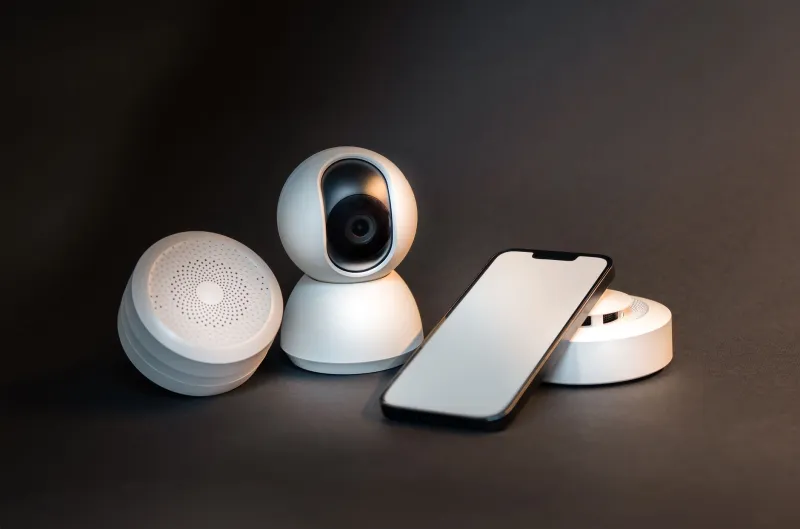
You spent good money making your home smart. The doorbell recognizes faces. The speaker orders groceries on command. The thermostat learns your schedule. It's all very impressive — right up until a robocaller figures out how to use all of that against you.
This isn't science fiction. Call-based attacks targeting smart home ecosystems are a growing and largely under-reported threat, and most Americans have no idea they're exposed. While everyone's focused on phishing emails and password leaks, a whole other attack surface has quietly opened up through the one device you've always had: your phone.
How Spam Calls and Smart Homes Intersect
At first glance, a robocall and a smart home system seem totally unrelated. One is an annoying interruption. The other is a network of connected devices humming away in your living room. But they're more connected than you'd think.
Here's the basic setup: most smart home systems — Amazon Alexa, Google Home, Apple HomeKit — are linked to your phone number in some capacity. Two-factor authentication texts, account recovery options, app notifications, voice-linked profiles. Your phone number is the thread that ties your identity to your smart home hub.
Spammers know this. And they've built entire playbooks around exploiting it.
One common technique is called SIM swapping, and it starts with a phone call. A scammer contacts your carrier pretending to be you, uses personal details harvested from data brokers (your name, address, last four of your Social), and convinces the rep to transfer your number to a new SIM card they control. Once they own your number, they own your two-factor codes — and with those, they can access whatever smart home accounts are tied to your phone.
Suddenly your front door lock, your security cameras, and your alarm system are in someone else's hands.
Voice Phishing: The Low-Tech Attack With High-Tech Consequences
SIM swapping is sophisticated, but robocallers don't always need to go that far. Voice phishing — or "vishing" — is a simpler, disturbingly effective approach.
The scam usually works like this: you get a call from what looks like your ISP, your smart home device manufacturer, or even a local utility company. The caller claims there's been a security issue with your account and walks you through "resetting" your smart home hub. During that process, they ask you to confirm your Wi-Fi password, your router login, or your device's PIN.
If you're not paying close attention, it sounds completely legitimate. These calls are scripted to mimic real customer service interactions — hold music, fake ticket numbers, even spoofed caller IDs that match real company phone numbers.
Once a caller has your router credentials, your entire home network is compromised. Every device connected to it — your thermostat, your baby monitor, your security cameras — becomes a potential access point.
The "Wake Word" Problem Nobody Wants to Talk About
Here's where things get a little unsettling. Research has shown that smart speakers can be triggered by sounds embedded in audio that humans can barely perceive. Ultrasonic commands — frequencies above normal human hearing — can activate Alexa or Google Assistant without anyone in the room knowing it happened.
Now layer that on top of a spam call. If a robocall is played through a phone that's near a smart speaker, certain tones or audio patterns in the call could theoretically trigger voice commands. This isn't a widespread attack vector yet, but security researchers have flagged it as an emerging concern, and it's the kind of creative exploitation that bad actors are actively experimenting with.
Even without ultrasonic tricks, there's a simpler version of this threat: someone calls you, you answer on speaker near your Alexa or Google Home, and the caller's audio triggers an unintended command. It sounds far-fetched until you've watched a YouTube ad accidentally set a kitchen timer.
What Happens After the Breach
Let's say a scammer does get into your smart home ecosystem. What's the actual damage?
Depending on what you've got connected, the consequences range from annoying to genuinely dangerous:
- Security cameras can be accessed and monitored remotely, giving attackers a live view of your home
- Smart locks can be unlocked or have their codes changed
- Alarm systems can be disabled before a physical break-in
- Thermostats and appliances can be manipulated (less dangerous, but a sign of deeper access)
- Voice assistant history contains a goldmine of personal data — shopping habits, calendar events, home routines
Beyond the physical risks, there's the data angle. Smart home devices collect a staggering amount of behavioral information. Your daily schedule, when you're home, when you sleep, when you leave for work. That data has real value on the dark web, and scammers who can access it are either selling it or using it to craft even more targeted attacks.
Locking Down Your Smart Home Against Call-Based Attacks
The good news: most of these vulnerabilities are fixable. You don't need to rip out your smart devices or go back to dumb locks. You just need to close the gaps.
1. Add a PIN to your carrier account. Call your carrier and request a port freeze or account PIN that's required before any number transfers are approved. This is your first line of defense against SIM swapping. Every major US carrier offers this — AT&T, Verizon, T-Mobile — but they don't always advertise it.
2. Use app-based two-factor authentication instead of SMS. SMS-based 2FA is vulnerable if your number gets swapped. Switch to an authenticator app like Google Authenticator or Authy for any smart home account that supports it. This decouples your security from your phone number.
3. Never confirm account details over an inbound call. If someone calls you claiming to be your ISP, your smart device manufacturer, or your alarm company — hang up. Look up the company's official number and call them back yourself. Legitimate companies don't need you to verify your router password over the phone.
4. Mute your smart speakers when you're not using them. Physically muting your smart speaker (most have a hardware mute button) prevents any audio — including audio from phone calls — from triggering wake words. It's a simple habit that eliminates a whole category of risk.
5. Segment your smart home devices on a separate Wi-Fi network. Most modern routers let you create a guest network. Put your smart home devices on it. That way, even if an attacker gets into that network, they're isolated from your computers, phones, and sensitive files.
6. Use a call-blocking app. This one's obvious coming from us, but it's real: blocking spam and spoofed calls before they reach you is the most direct way to cut off the attack chain before it starts. If the call never gets through, the vishing script never runs.
The Bigger Picture
Smart homes are only going to get smarter — and more interconnected. The average US household with smart devices is adding new connected gadgets every year. Each one is another potential entry point, and each one is typically tied back to a phone number in some way.
Spam callers aren't just annoying anymore. They're increasingly sophisticated actors operating at the intersection of social engineering, telecom vulnerabilities, and consumer tech. Your smart home is a target because it's valuable, it's connected, and most people assume it's safe.
It doesn't have to be a vulnerability. But treating your phone's security as separate from your home's security is a mistake you can't afford to keep making.